

10 Business Processes to Automate in 2026

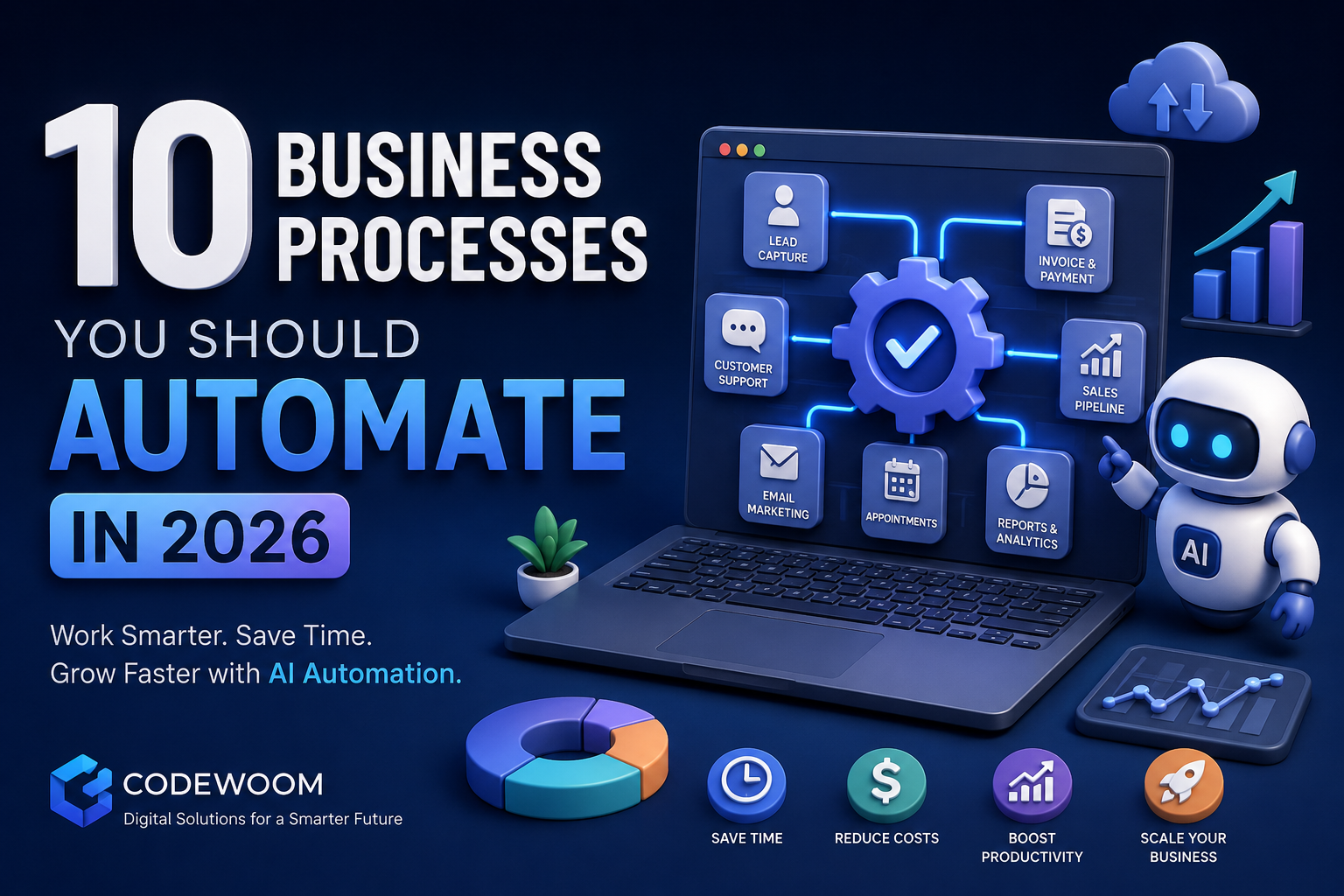
Competition has never been fiercer. Every industry, from local service businesses to global SaaS companies, is fighting for the same customers, the same talent, and the same margins — and the businesses winning that fight in 2026 are the ones that have stopped doing everything by hand.
Business process automation is no longer a "nice to have" reserved for enterprise companies with deep IT budgets. AI automation has matured to the point where a small team can now run operations that once required an entire department. Chatbots qualify leads while you sleep. AI agents draft reports, reconcile invoices, and route support tickets. Workflow automation tools quietly work in the background, connecting your CRM, your inbox, and your accounting software so nothing falls through the cracks.
This shift matters because operational efficiency is directly tied to profitability. Every manual, repetitive task your team performs is time not spent on strategy, sales, or innovation. And with customer expectations rising every year, the businesses that respond faster, personalize better, and operate with fewer errors are the ones that earn repeat customers.
In this guide, we'll walk through 10 business processes you should automate in 2026, why they matter, the tools that make automation possible, and a practical framework for deciding where to start. Whether you're a startup founder wearing five hats or an operations manager at a growing company, you'll leave this article with a clear roadmap for how to automate business operations without disrupting what already works.
Why Business Automation Matters in 2026
Before diving into specific processes, it's worth understanding why this year is a turning point for automation adoption.
Rising Labor Costs
Wages, benefits, and hiring costs continue to climb across most markets. Manually staffing repetitive tasks — data entry, appointment scheduling, invoice follow-ups — is becoming one of the most expensive ways to run a business. Automation lets you scale output without proportionally scaling headcount.
Customer Expectations Have Changed
Customers now expect instant responses, 24/7 support, and personalized communication. A missed lead notification or a delayed invoice reminder can mean lost revenue. AI-powered workflows make round-the-clock responsiveness achievable even for lean teams.
Scalability Challenges
Manual processes break under growth. A workflow that works fine for 50 customers often collapses at 500. Automated systems are built to scale linearly — or better — without requiring proportional increases in staff or oversight.
AI Advancements Have Lowered the Barrier to Entry
Just a few years ago, automation meant expensive custom software. Today, AI models can understand natural language, generate content, classify data, and make decisions with minimal setup. This has made AI automation accessible to small and mid-sized businesses, not just enterprises.
Competitive Advantage
Businesses that automate free up their teams to focus on strategy, relationships, and innovation — the things that actually differentiate a brand. Companies that fail to modernize risk losing customers to more responsive, more efficient competitors.
Industry research consistently shows that companies investing in automation report measurable gains in efficiency, error reduction, and employee satisfaction, since teams spend less time on repetitive administrative work and more time on meaningful, high-value tasks. The direction is clear: digital transformation is not optional anymore — it's the baseline for staying competitive.
1. Lead Capture and Qualification
Traditional Process
Sales reps manually collect leads from web forms, spreadsheets, or business cards, then spend hours qualifying which ones are worth pursuing. This process is slow, inconsistent, and prone to leads going cold before anyone follows up.
Automated Process
With automation, leads submitted through your website, ads, or landing pages are instantly captured, scored based on predefined criteria (budget, industry, engagement level), and routed to the right sales rep — often with an AI chatbot conducting the initial qualification conversation.
Benefits
- Faster response times (minutes instead of hours or days)
- Consistent qualification criteria across all leads
- No leads lost due to human error or delay
- Sales reps spend time only on qualified opportunities
Recommended Tools
CRM platforms with built-in lead scoring, AI chat widgets, and form-to-CRM integration tools that automatically sync new leads into your pipeline.
Real-World Example
A digital marketing agency that previously took an average of 8 hours to respond to inbound leads implemented an AI-powered chatbot and lead-scoring workflow. Response time dropped to under 2 minutes, and their lead-to-client conversion rate improved significantly simply because they were engaging prospects while interest was still high.
2. Customer Support and Helpdesk
AI Chatbots
Modern AI chatbots can resolve a large share of common customer inquiries — order status, refund policies, account questions — without human intervention, and they do it instantly, at any hour.
Ticket Routing
Automation can classify incoming support tickets by urgency, topic, and sentiment, then route them to the correct team member automatically, eliminating manual triage.
Knowledge Bases
Self-service knowledge bases, often powered by AI search, allow customers to find answers themselves, reducing overall ticket volume.
Customer Experience Improvements
The result is faster resolution times, more consistent answers, and support agents who are freed up to handle complex, high-value cases instead of repetitive questions.
3. Appointment and Booking Management
Automated Scheduling
Booking tools let customers see real-time availability and schedule appointments themselves, eliminating the back-and-forth of manual coordination.
Reminders
Automated SMS and email reminders significantly reduce no-show rates, a major hidden cost for service-based businesses.
Calendar Synchronization
Bookings sync automatically across staff calendars, preventing double-bookings and reducing administrative overhead.
AI Booking Assistants
AI-powered assistants can handle rescheduling requests, answer availability questions, and even upsell additional services conversationally, all without staff involvement.
4. Email Marketing Campaigns
Automated Sequences
Instead of manually sending emails, automated sequences trigger based on user behavior — a signup, an abandoned cart, a downloaded resource — delivering the right message at the right time.
Lead Nurturing
Drip campaigns nurture leads over weeks or months, gradually building trust and moving them toward a purchase decision without manual follow-up.
Personalization
AI-driven personalization tailors subject lines, content, and offers to individual recipient behavior, dramatically improving open and click-through rates compared to generic blasts.
Performance Tracking
Automated dashboards track open rates, click-through rates, and conversions in real time, allowing marketers to optimize campaigns continuously rather than after the fact.
5. Sales Pipeline Management
CRM Automation
A well-configured CRM automatically logs interactions, updates deal stages, and flags stalled opportunities, keeping the pipeline accurate without manual data entry.
Lead Scoring
Automated scoring models prioritize which prospects are most likely to convert, helping sales teams focus their energy where it matters most.
Follow-Up Reminders
Automated reminders ensure no prospect is forgotten, a common cause of lost deals in manually managed pipelines.
Opportunity Tracking
Real-time dashboards give sales managers visibility into pipeline health, forecasted revenue, and rep performance without requiring manual reporting.
6. Invoice Generation and Payment Collection
Automated Invoicing
Invoices can be generated and sent automatically based on completed work, subscription cycles, or project milestones — no manual creation required.
Payment Reminders
Automated reminders for upcoming or overdue payments improve cash flow and reduce the awkwardness of manual collections calls.
Financial Reporting
Automation tools can generate real-time financial summaries, reducing the monthly close process from days to hours.
Reduced Manual Errors
Automated systems eliminate common human errors like duplicate invoices, incorrect amounts, or missed billing cycles — errors that directly affect revenue and client trust.
7. Employee Onboarding
Document Collection
New hire paperwork, tax forms, and compliance documents can be collected automatically through digital onboarding portals instead of chasing signatures manually.
Training Workflows
Automated training sequences deliver the right materials at the right time, tracking completion without HR needing to manually follow up.
Access Provisioning
IT access, software accounts, and permissions can be automatically provisioned the moment a new hire is added to the system, ensuring they're productive from day one.
HR Automation
From scheduling first-week check-ins to sending benefits enrollment reminders, automation reduces the administrative burden on HR teams while creating a more consistent, professional new-hire experience.
8. Inventory and Order Management
Stock Monitoring
Automated systems track inventory levels in real time across warehouses or sales channels, eliminating manual stock counts.
Automated Reordering
When stock falls below a threshold, automation can trigger purchase orders automatically, preventing stockouts and overstocking alike.
Forecasting
AI-driven forecasting analyzes historical sales data to predict future demand, helping businesses plan inventory more accurately.
Supply Chain Visibility
Automated dashboards give real-time visibility into supplier performance, shipping status, and fulfillment bottlenecks, allowing faster decision-making.
9. Social Media Management
Content Scheduling
Posts can be scheduled across multiple platforms in advance, ensuring consistent brand presence without daily manual posting.
AI Content Assistance
AI tools can help generate captions, repurpose long-form content into social posts, and suggest optimal posting times based on audience behavior.
Analytics
Automated reporting tracks engagement, reach, and follower growth across platforms, consolidating data that would otherwise require manual compilation.
Multi-Platform Publishing
A single piece of content can be automatically adapted and published across multiple channels simultaneously, saving significant time for marketing teams.
10. Business Reporting and Analytics
Automated Dashboards
Instead of manually compiling data from multiple systems, automated dashboards pull real-time data from sales, marketing, finance, and operations into a single view.
KPI Tracking
Key metrics are tracked continuously and automatically flagged when they fall outside expected ranges, allowing faster intervention.
Real-Time Insights
Automation eliminates the lag between "something happened" and "leadership knows about it," enabling faster, data-driven decisions.
Executive Reporting
Automated report generation means executives receive polished, up-to-date reports on a set schedule without anyone manually building slide decks or spreadsheets each week.
Automation Benefits Summary
| Process | Time Saved | Cost Reduction | Business Impact |
|---|---|---|---|
| Lead Capture & Qualification | High | Moderate | Faster conversions, higher close rates |
| Customer Support & Helpdesk | High | High | Better CX, lower support costs |
| Appointment & Booking Management | Moderate | Moderate | Fewer no-shows, smoother scheduling |
| Email Marketing Campaigns | High | Moderate | Higher engagement, more conversions |
| Sales Pipeline Management | Moderate | Moderate | More accurate forecasting, fewer lost deals |
| Invoice Generation & Payment Collection | High | High | Improved cash flow, fewer errors |
| Employee Onboarding | Moderate | Moderate | Faster ramp-up, better retention |
| Inventory & Order Management | High | High | Fewer stockouts, optimized supply chain |
| Social Media Management | Moderate | Low | Consistent brand presence, time savings |
| Business Reporting & Analytics | High | Moderate | Faster decisions, better visibility |
Common Mistakes to Avoid
- Automating a broken process. Automation speeds up whatever process you give it — including inefficient ones. Fix the workflow first, then automate it.
- Trying to automate everything at once. Attempting a full-scale automation overhaul without piloting individual workflows often leads to confusion and poor adoption.
- Ignoring employee input. Teams who actually perform a task often know exactly where the bottlenecks are. Skipping their input leads to automation that misses the real pain points.
- Choosing tools before defining goals. Selecting software first and figuring out the use case later often results in mismatched, underused tools.
- Neglecting integration. Automation tools that don't connect to your existing CRM, accounting software, or communication platforms create new silos instead of removing them.
- Underestimating the need for testing. Automated workflows should be tested thoroughly before going live, especially anything customer-facing like chatbots or email sequences.
- Failing to monitor and iterate. Automation isn't "set and forget." Workflows need regular review to ensure they still match evolving business needs.
- Over-relying on automation for sensitive interactions. Some conversations — complaints, negotiations, sensitive HR matters — still need a human touch. Over-automating these can damage trust.
How to Choose the Right Processes to Automate
A simple framework can help prioritize where to start:
- Frequency — How often is this task performed? High-frequency tasks yield the most time savings when automated.
- Repetitiveness — Is the task rule-based and repetitive, or does it require nuanced human judgment? Rule-based tasks are ideal automation candidates.
- Error Impact — How costly are mistakes in this process? Processes with high error costs (like invoicing) benefit greatly from automation's consistency.
- Time Investment — How many staff-hours does this process currently consume weekly or monthly?
- Customer Impact — Does automating this improve or risk the customer experience? Prioritize processes where automation clearly improves speed or consistency.
- ROI Potential — Estimate the cost of automation against the time and money it will save over 6–12 months.
Score each candidate process against these criteria, then start with the one or two processes offering the highest combined score. Early wins build organizational confidence and make it easier to expand automation efforts later.
Future Trends in Business Automation
AI Agents
Beyond simple chatbots, autonomous AI agents are increasingly able to complete multi-step tasks — researching, drafting, executing, and reporting back — with minimal human oversight.
Predictive Analytics
Automation is moving from reactive to predictive, using historical data to anticipate customer churn, inventory needs, and sales trends before they happen.
Hyperautomation
Businesses are combining multiple automation technologies — RPA, AI, machine learning, and workflow orchestration — into unified systems that automate entire end-to-end processes rather than isolated tasks.
Autonomous Workflows
Increasingly, workflows can adapt in real time based on changing conditions, without needing manual reconfiguration each time a variable shifts.
Intelligent Business Systems
The long-term direction is toward fully integrated business systems where AI doesn't just execute tasks but actively recommends strategic decisions based on real-time operational data.
Businesses that begin building automation foundations now will be far better positioned to adopt these advanced capabilities as they mature.
How Codewoom Helps Businesses Automate Operations
At Codewoom, we help businesses turn manual, time-consuming processes into streamlined, intelligent systems. Our team specializes in:
- AI Workflow Automation — Designing and implementing automated workflows tailored to your specific operations, from lead capture to reporting.
- Custom Web Applications — Building bespoke web platforms that integrate directly with your automation tools and existing systems.
- CRM Systems — Developing and customizing CRM solutions that automate lead scoring, follow-ups, and pipeline management.
- Booking Systems — Creating automated scheduling and booking platforms with reminders and calendar sync built in.
- Business Intelligence Dashboards — Building real-time reporting dashboards that consolidate your data into actionable insights.
- Cloud Infrastructure — Providing scalable cloud solutions that support your automation tools reliably as you grow.
- Integration Services — Connecting your existing software stack so data flows automatically between systems instead of requiring manual transfers.
Whether you need a single automated workflow or a full digital transformation strategy, Codewoom partners with you to identify the highest-impact opportunities and build solutions that fit your business, not the other way around.
Learn more at www.codewoom.com.
Frequently Asked Questions
1. What is business process automation? Business process automation refers to using technology — often AI-powered — to perform repetitive tasks and workflows that were traditionally done manually, such as lead qualification, invoicing, or customer support.
2. Is automation only useful for large companies? No. Modern automation tools are highly accessible, and small businesses often see the fastest ROI since they typically have the most manual, unoptimized processes to begin with.
3. How much does business automation cost? Costs vary widely depending on complexity — from affordable off-the-shelf tools for simple tasks to custom-built systems for complex, multi-step workflows. Most businesses start small and expand as they see results.
4. Will automation replace my employees? Automation typically replaces repetitive tasks, not people. It frees employees from administrative busywork so they can focus on higher-value, strategic, and relationship-driven work.
5. Which business process should I automate first? Start with high-frequency, rule-based, error-prone processes — common examples include invoicing, appointment scheduling, and lead follow-up.
6. How long does it take to implement automation? Simple workflow automations can be live within days or weeks. More complex, custom-built systems may take a few months, depending on integration requirements.
7. What tools are commonly used for automation? Common categories include CRM platforms, AI chatbots, workflow automation platforms, scheduling tools, and business intelligence dashboards — often connected together through custom integrations.
8. Can automation improve customer experience? Yes. Faster response times, 24/7 availability, and consistent communication — all made possible through automation — directly improve customer satisfaction and retention.
9. Do I need technical expertise to implement automation? Not necessarily. Many tools are designed for non-technical users, but working with an experienced automation partner ensures workflows are built correctly and integrated properly with your existing systems.
10. How do I measure the success of automation? Track metrics like time saved per task, error reduction, cost savings, response times, and customer satisfaction scores before and after implementation.
Conclusion
Business process automation has shifted from a competitive advantage to a baseline requirement for staying relevant in 2026. From lead capture and customer support to invoicing and reporting, the ten processes covered in this guide represent some of the highest-impact opportunities for reducing costs, improving accuracy, and freeing your team to focus on growth rather than repetitive administrative work.
The key isn't to automate everything overnight — it's to identify the processes causing the most friction, apply the framework outlined above, and build momentum with early wins. As AI agents, predictive analytics, and hyperautomation continue to mature, businesses that have already built strong automation foundations will be best positioned to take advantage of what comes next.
The businesses that start automating today will be the ones setting the pace tomorrow.
Call to Action
Ready to stop doing manual work that technology can handle for you? Codewoom helps businesses design and implement automation strategies that actually fit how they operate.
Whether you need:
- AI Automation Solutions
- Custom Software Development
- Web Applications
- Mobile Apps
- Digital Transformation Consulting
...our team is ready to help you build systems that save time, reduce costs, and scale with your business.
Get started today: www.codewoom.com